Jobs
The Jobs page lists all batch and interactive jobs in your workspace and provides access to run history, scheduling, and job management.
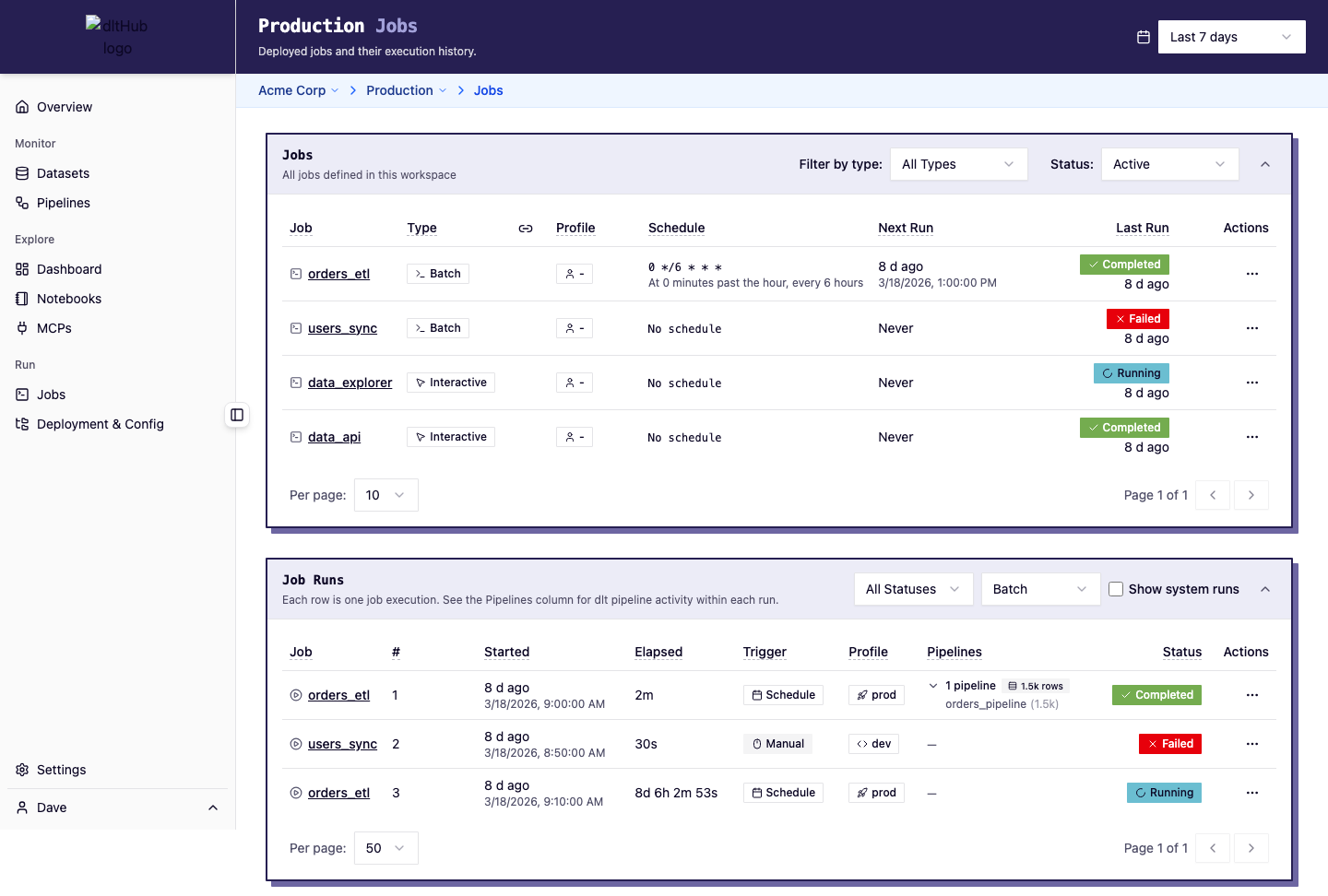
Jobs table
The top table shows all jobs (scripts) in your workspace:
| Column | Description |
|---|---|
| Name | Job name with an icon indicating type |
| Type | Batch (pipeline scripts) or Interactive (notebooks, apps, MCPs) |
| Public Link | Whether the job has a public sharing link |
| Profile | The execution profile (e.g., prod for batch, access for interactive) |
| Last Run | Timestamp and status of the most recent run |
| Next Run | When the next scheduled run will execute |
| Schedule | Cron expression with human-readable description |
Filters
- Status: Active or Archived
- Type: All, Batch, or Interactive
Actions
Click the context menu on any job row to:
- Start a new run (batch jobs) -- triggers a new execution. See Deploy a Pipeline.
- Open (interactive jobs) -- opens the running notebook or app. See Serve a Notebook.
- Cancel current run -- stops a running execution. See
dlt runtime cancel. - Manage schedule -- set or modify a cron schedule. See Schedule a Pipeline.
- Manage public link -- create or revoke a public sharing link. See Publish and Share.
- Archive / Unarchive -- hide completed jobs from the active list.
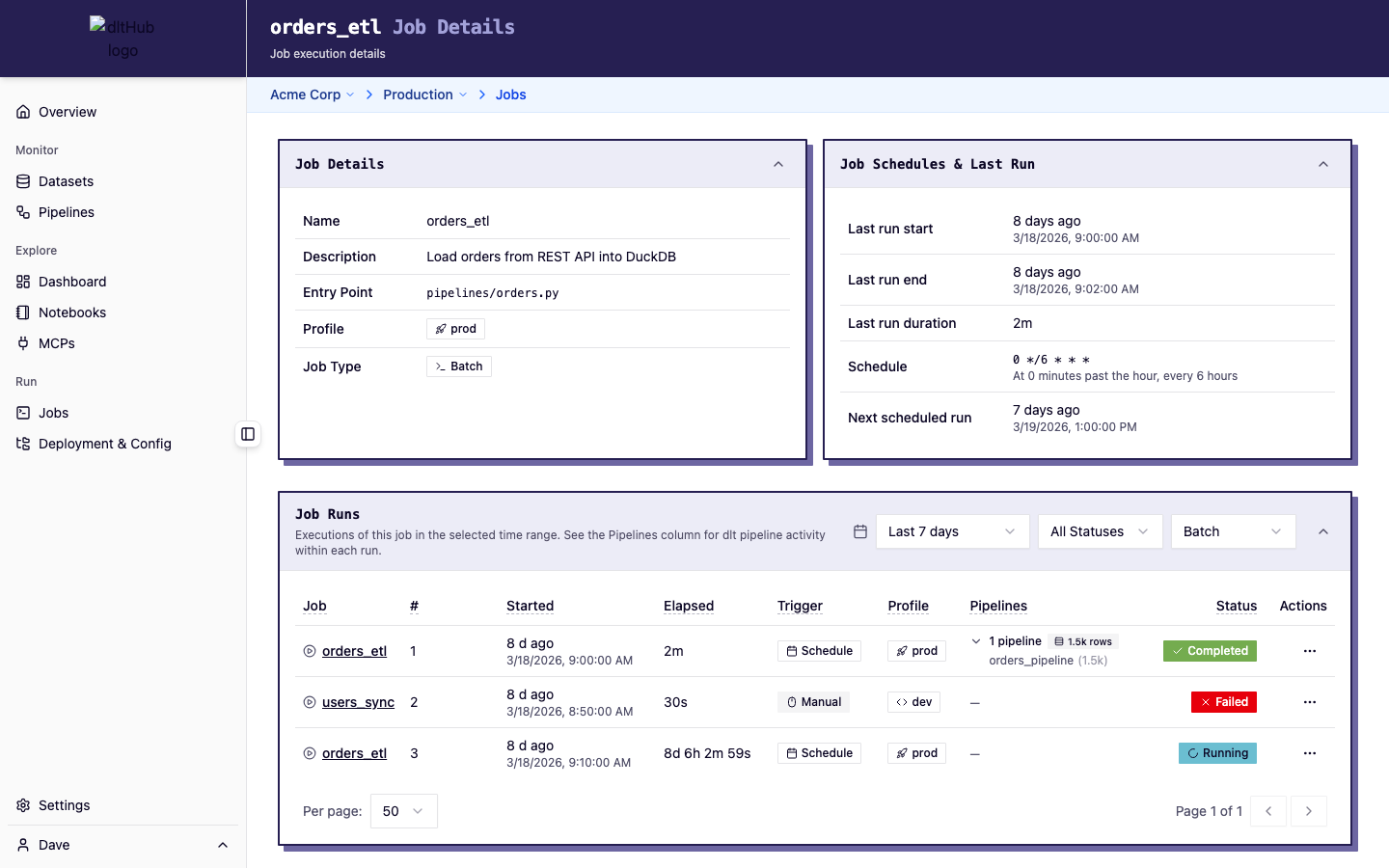
Click a job name to open the job detail page, which shows job metadata (entry point, profile, description), schedule info, and a full run history table.
Runs table
Below the jobs table, a runs table shows recent job executions across all jobs:
| Column | Description |
|---|---|
| Job Name | Which job was executed |
| Run # | Sequential run number |
| Status | Current status (Running, Completed, Failed, Cancelled) |
| Trigger | How the run was started (manual, scheduled, API) |
| Profile | Execution profile used |
| Started | When the run began |
| Elapsed | Run duration (live-updating if still running) |
| Pipelines | Number of dlt pipelines discovered, with row counts |
Filters
- Status: All, Completed, Failed, Cancelled, Other
- Type: All, Batch, Interactive
- System runs: Toggle to show/hide system-generated runs
Click a run row to open the run detail page with full logs and pipeline run information.
CLI equivalents
dlt runtime job list-- list all jobsdlt runtime job info <script>-- show job detailsdlt runtime job-run list-- list runsdlt runtime info-- workspace overview with latest job and run info