Deployment and Config
The Deployment & Config page shows the current versions of your deployed code and configuration.
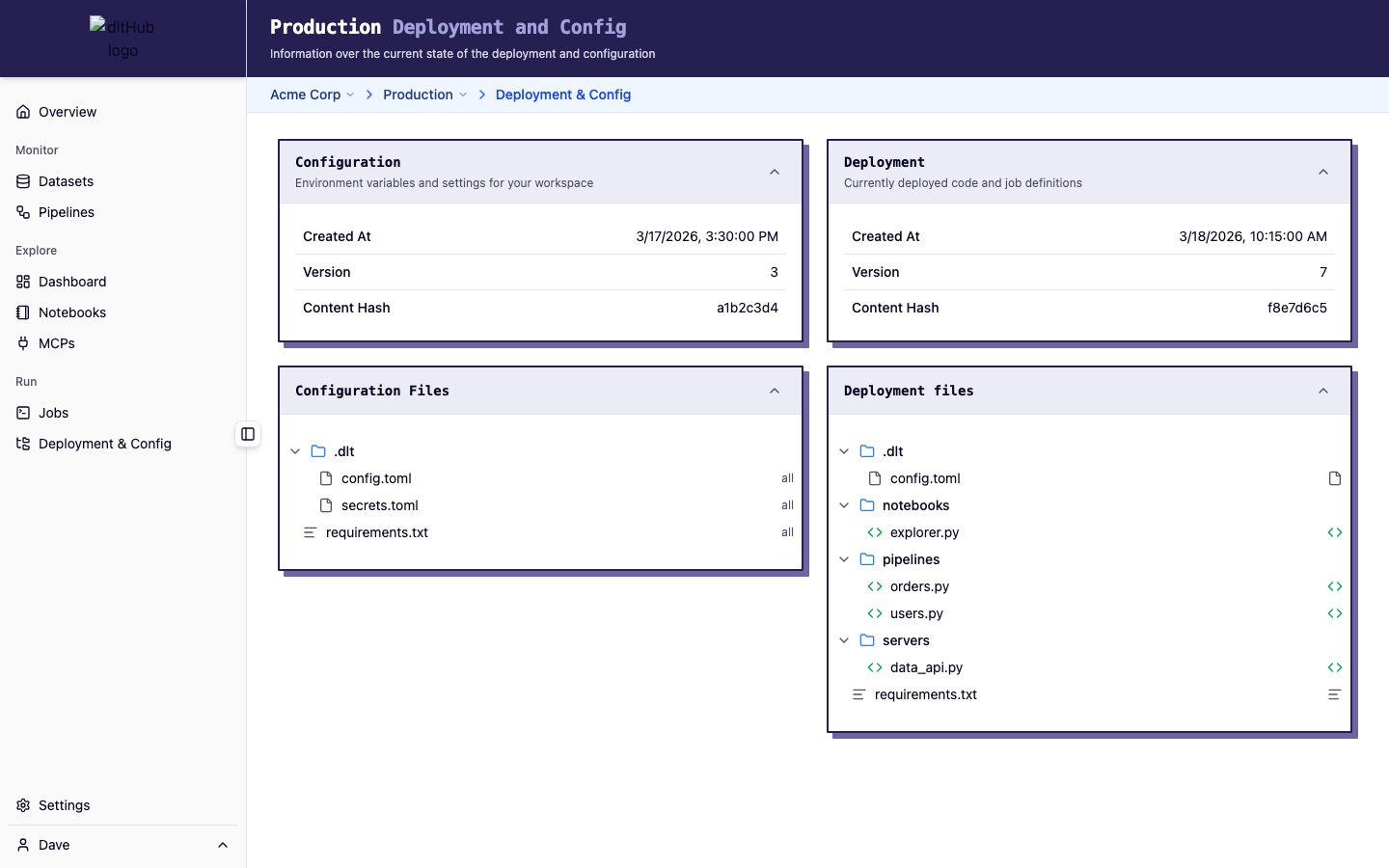
Layout
The page is split into two columns:
Configuration (left)
Shows your current configuration version -- the secrets and settings synced from your local .dlt/ directory:
- Created / Updated -- when this version was first created and last updated
- Version -- sequential version number
- Content hash -- fingerprint of the configuration contents
- File tree -- expandable view of the configuration file structure (e.g.,
secrets.toml, profile-specific config files)
Deployment (right)
Shows your current deployment version -- the code snapshot synced from your local workspace:
- Created / Updated -- when this version was first created and last updated
- Version -- sequential version number
- Content hash -- fingerprint of the deployed code
- File tree -- expandable view of the deployed files (Python scripts, entry points, supporting modules)
How deployments and configurations work
Deployments and configurations are versioned separately. When you run dlt runtime deploy, both are synced. When you run dlt runtime launch, they are synced automatically before the job starts.
- Deployments contain your Python code and pipeline scripts
- Configurations contain your secrets and settings from
.dlt/
This separation means you can update secrets without redeploying code, and vice versa.
See the Manage Secrets guide for working with configurations and the Deploy a Pipeline guide for the full deployment workflow.
CLI equivalents
dlt runtime deploy-- sync both code and configurationdlt runtime deployment list-- list deployment versionsdlt runtime deployment info-- show deployment detailsdlt runtime configuration list-- list configuration versionsdlt runtime configuration info-- show configuration details
Empty state
If no deployment or configuration exists yet, the page shows a hint with the CLI command to create your first deployment:
dlt runtime deploy